

 Now Available for WearOS
AI on your wrist
Your AI assistant that searches the web, captures your thoughts, and connects to the tools you already use.
Get real-time answers
Search the web from your wrist for up-to-date information.
Capture thoughts by voice
Speak your thoughts. Speech-to-text saves them instantly.
Connect your tools
Add tasks, update notes, and take action in the tools you already use.
 OpenClaw
 Notion
 Todoist
 Linear
 n8n+ any tool with MCP / API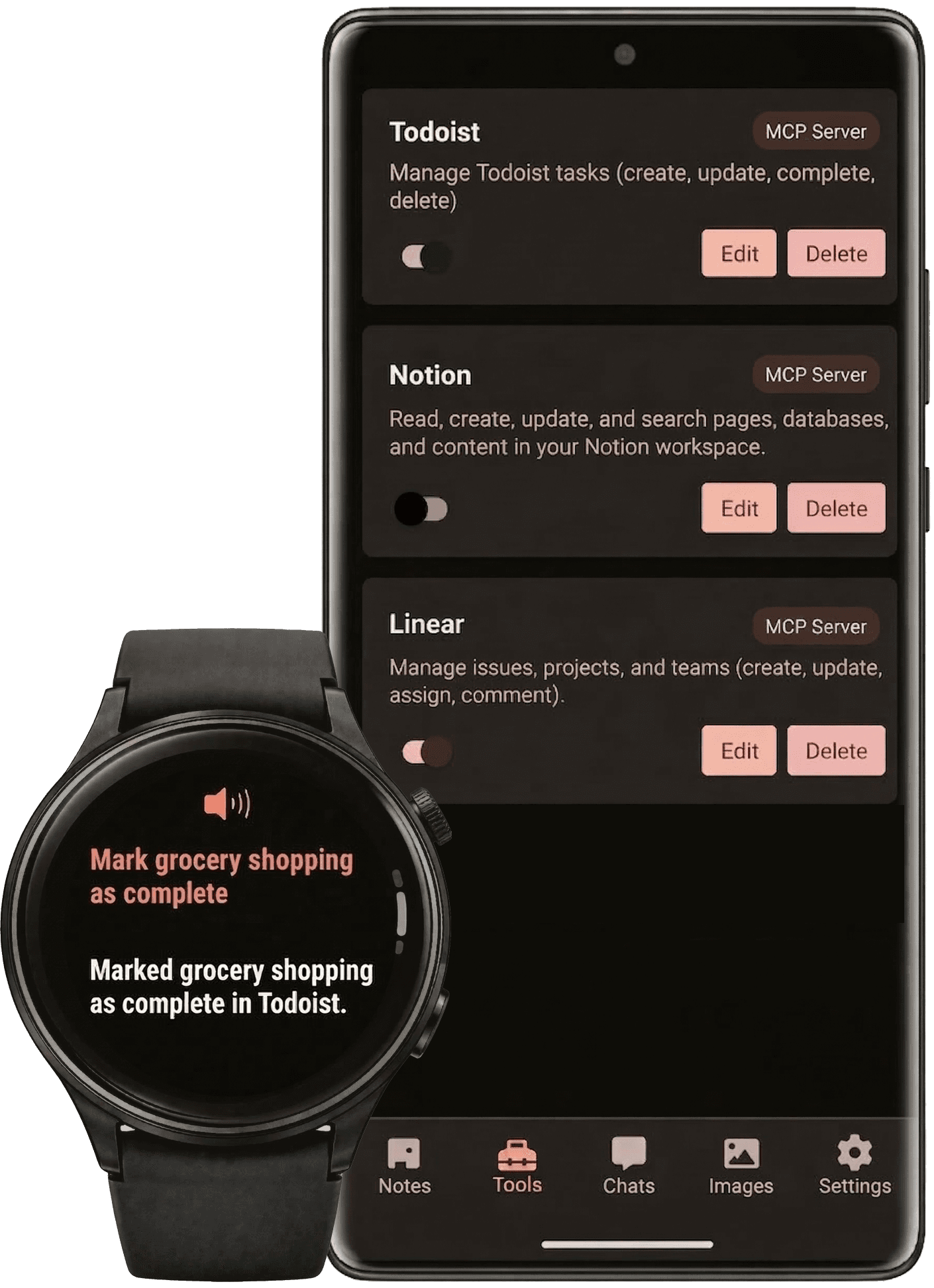
Free AI Access
50 free messages every day, no subscription needed
No Phone Needed
Fully standalone — only needs an internet connection
Bring Your Own Key
Compatible with OpenAI endpoints and local LLMs
Ask anything, get real-time answers
Hopper searches the web to answer your questions with up-to-date information. Get weather, news, sports scores, or research anything, right from your wrist.
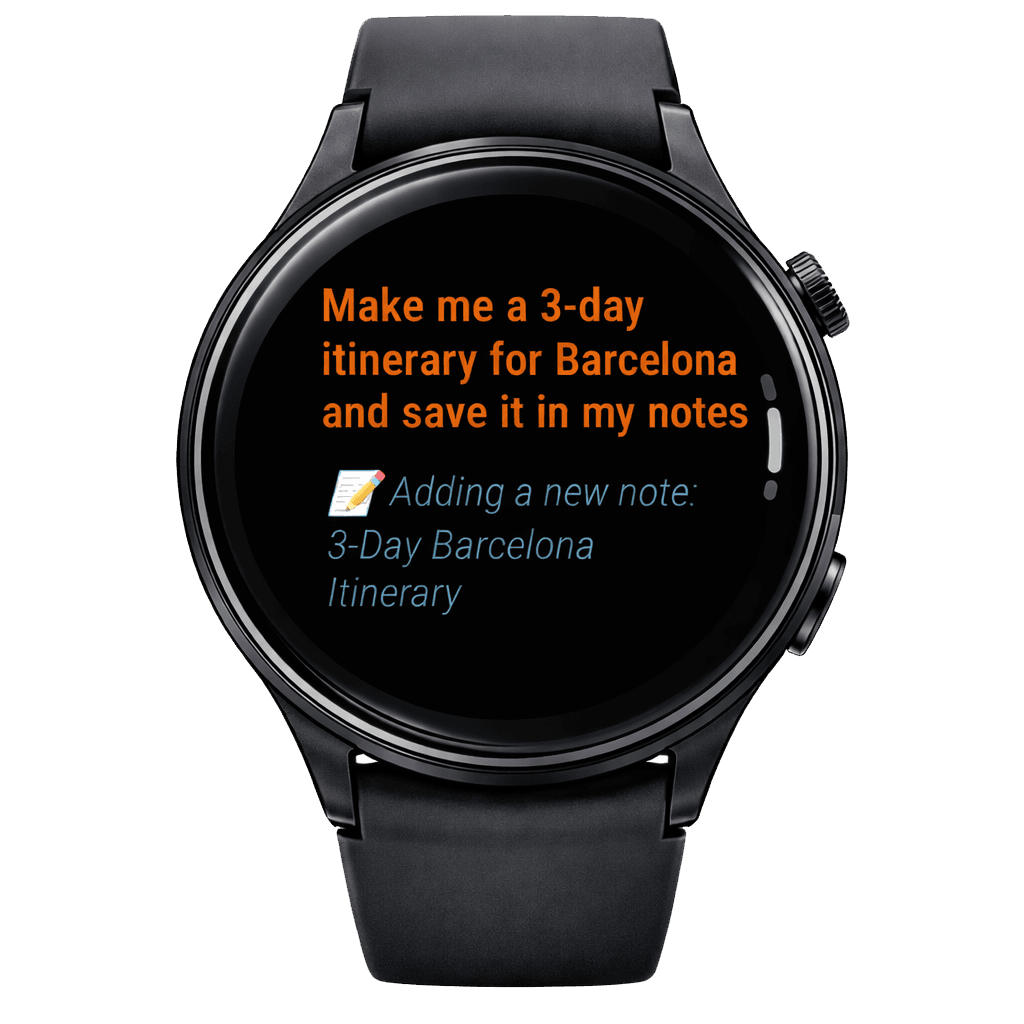
Capture ideas, find them later
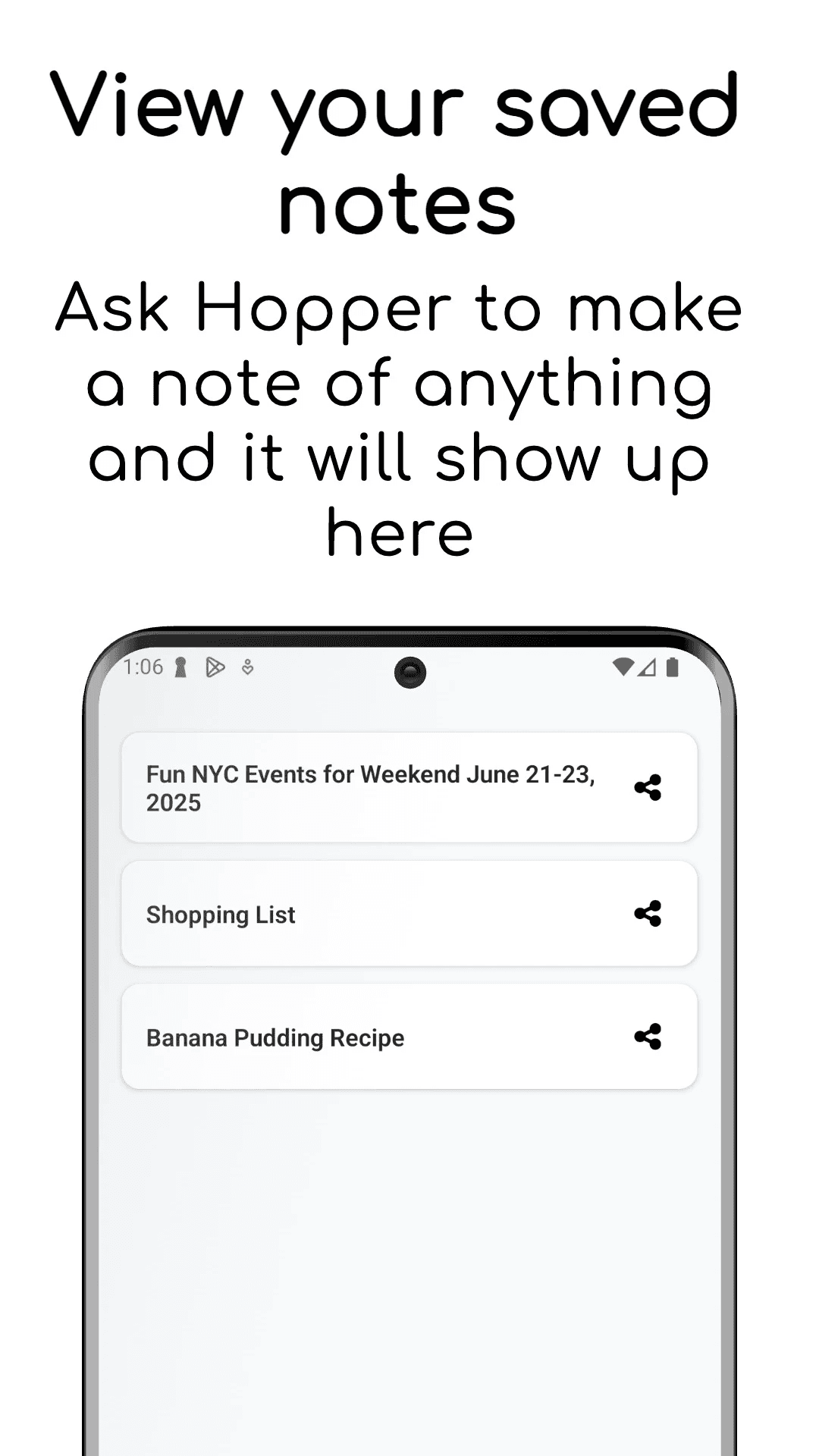
Jot down thoughts from your wrist and search them later — ask Hopper what you noted about a meeting or errand and it'll find it. All your notes sync to the phone app for easy management.
Your watch, your workflow
Hopper works with the tools you rely on. Add tasks to Todoist, update Notion pages, check Linear issues, all by voice from your wrist.
OpenClawNotionTodoistLinearn8n+ any tool with MCP / APIDo more on the phone app
View your saved chats, manage notes, configure your API settings, and set up custom MCP tool integrations.
Browse Saved Chats
Access your complete conversation history with powerful search
Manage Notes
Organize and edit your voice notes and AI-saved responses
Configure Settings
Update your API key and customize MCP tool integrations
Choose Your Path
Two simple ways to get started. Pick the one that fits your needs.
Free AI Access
Start using Hopper in under 2 minutes.
Download Hopper Watch App
Get the watch app from the Google Play Store.
Create Your Account
Sign up to unlock free AI access, no credit card needed.
Start Chatting!
Enjoy up to 50 free AI messages every day.
Bring Your Own API Key
Unlimited usage, and complete control.
Download Both Apps
Get the watch app and phone app from the Google Play Store.
Add Your API Keys
Add your OpenAI API key in the phone app.
Start Chatting!
Use your own API with unlimited messages.
Lifetime access
One-time payment
Frequently Asked Questions
Read our guide on how to get your ChatGPT API keys.
Learn how to connect your apps →